Know what's next.
Checkpoint tells you what your vehicle needs before you have to ask. Track services, costs, and schedules — all in one place. No subscriptions. No ads. Just clarity.
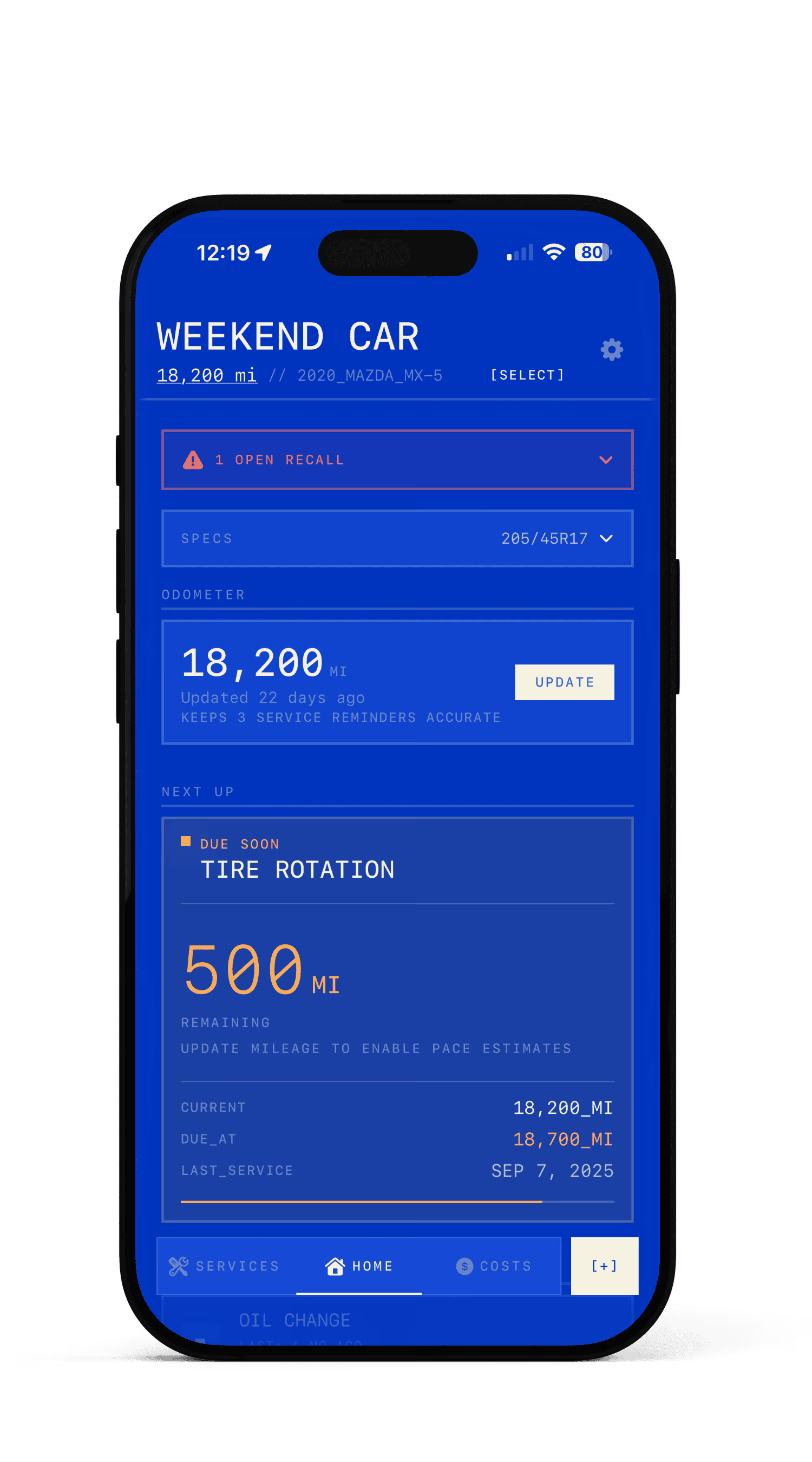
WHAT'S DUE NEXT
Open the app and know instantly. Checkpoint surfaces your most urgent service the moment you look.
WHAT IT COSTS
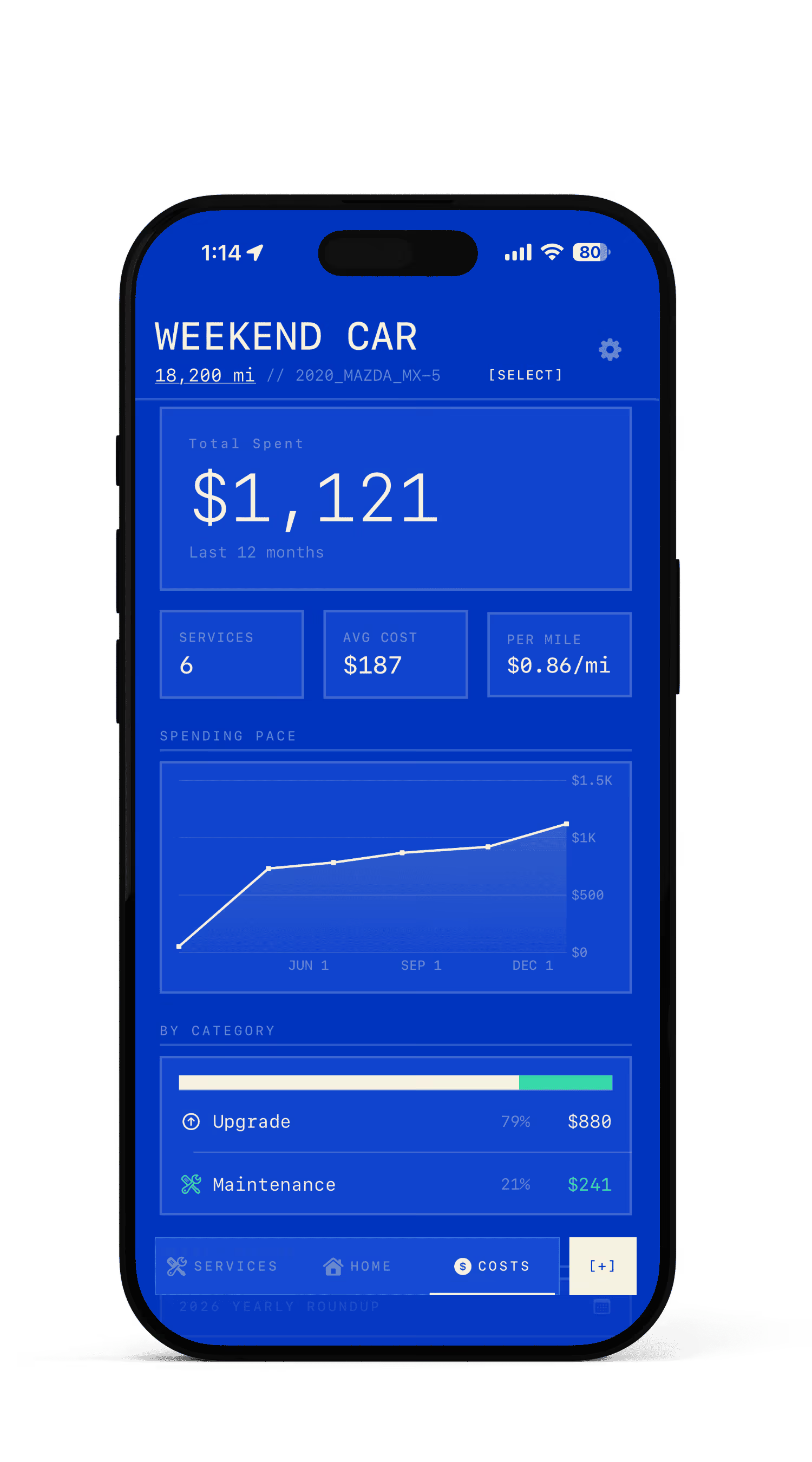
Track every dollar across maintenance, repairs, and upgrades. Monthly and yearly breakdowns with cost-per-mile.
WHEN TO ACT
Smart reminders by date and mileage. Checkpoint estimates your driving patterns and notifies you before anything is overdue.
Your vehicle talks. This is what it says.
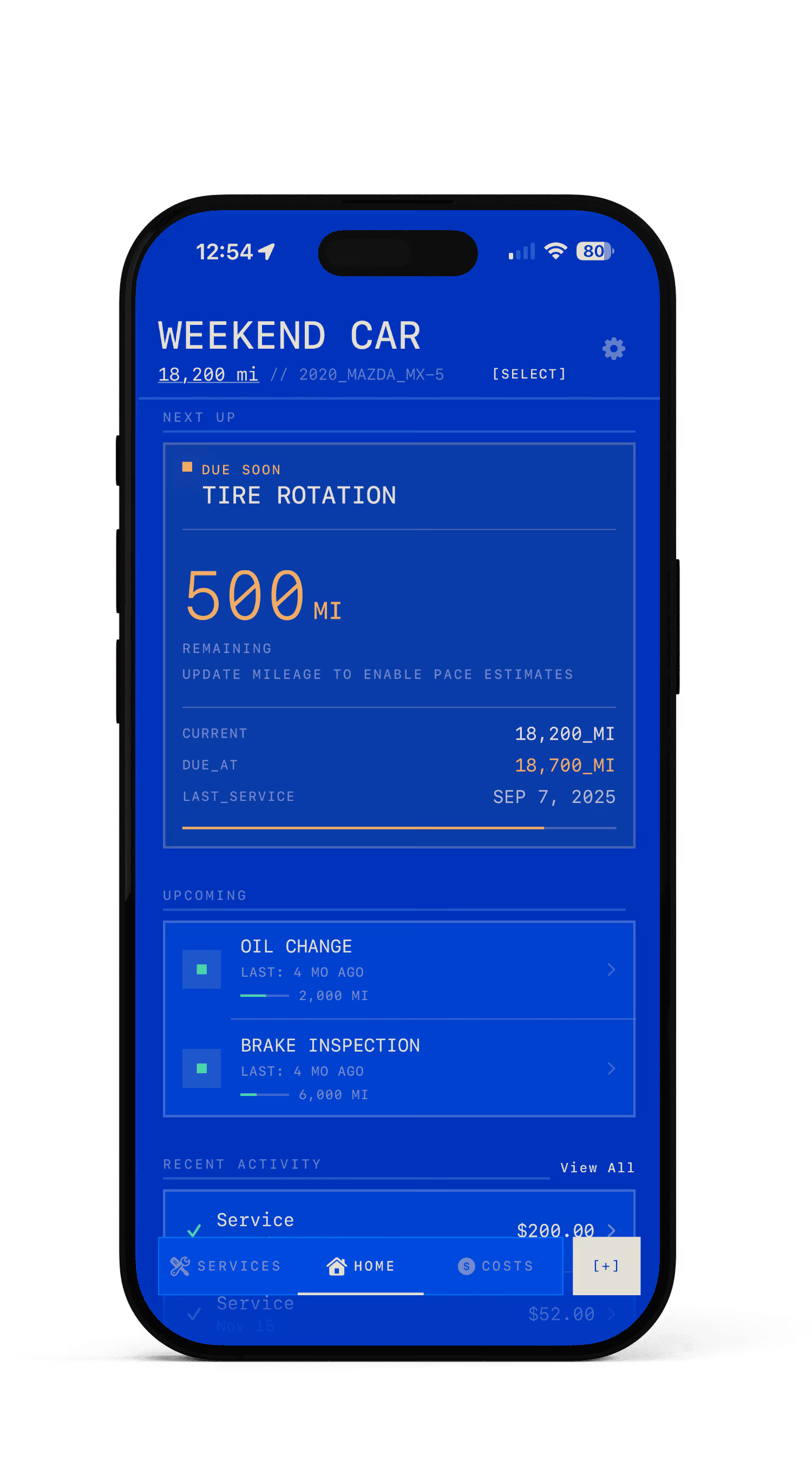
The home screen shows one thing first: what's due next. A single card with the service name, status, and how many miles or days remain. Below it, your full maintenance timeline — color-coded by urgency. Green means good. Amber means soon. Red means now.
- —Multi-vehicle selector — switch between cars instantly
- —Quick-add floating button for fast logging
- —Status indicators: Good / Due Soon / Overdue
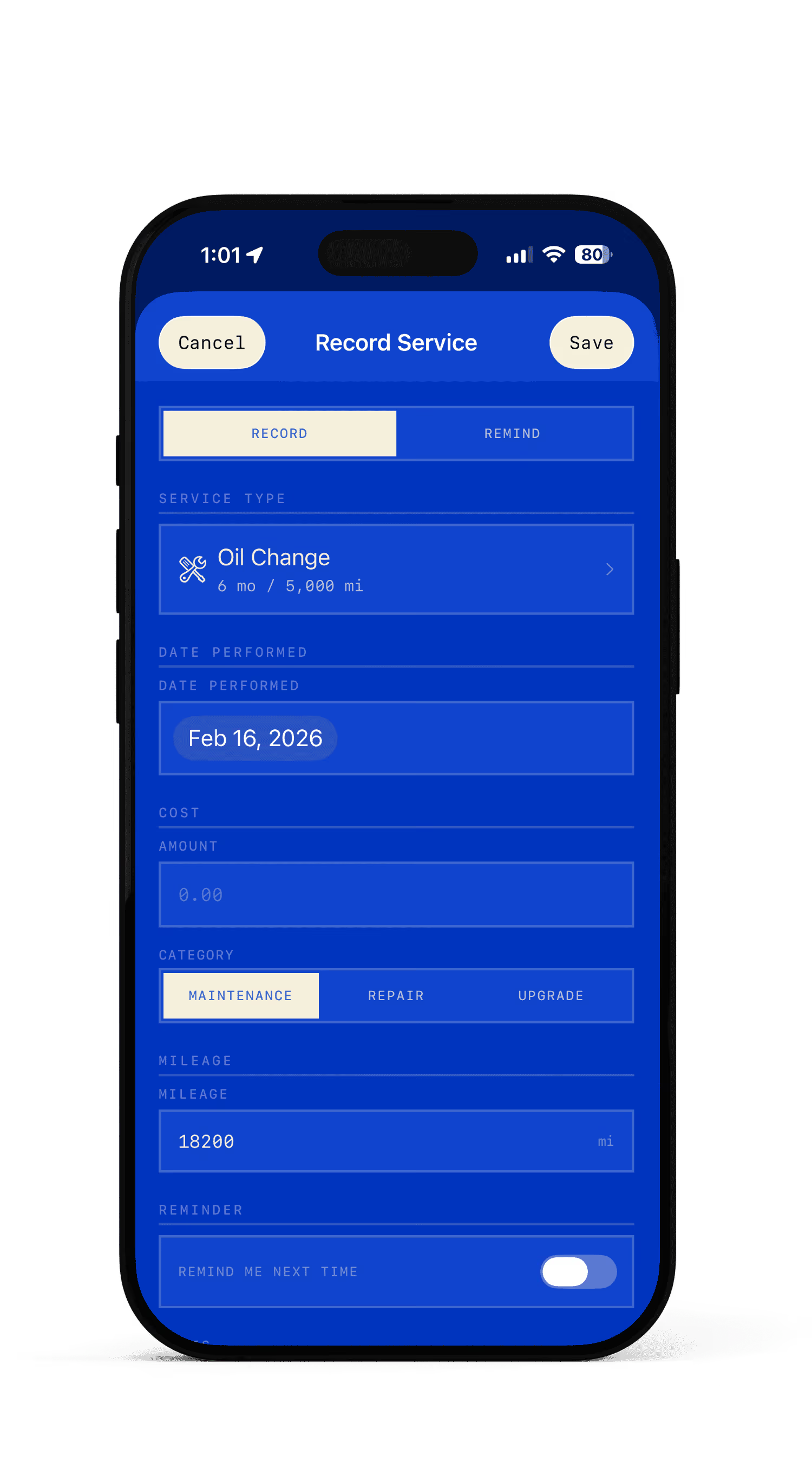
Every oil change. Every repair. Documented.
Log any service in seconds. Pick from presets like Oil Change, Brake Pads, or Tire Rotation — or create your own. Attach receipts, photos, and notes. Set it as a one-off or schedule it to repeat.
- —20+ service type presets
- —Photo and receipt attachments
- —OCR text extraction from receipts (on-device)
- —Optional recurring schedule with custom intervals
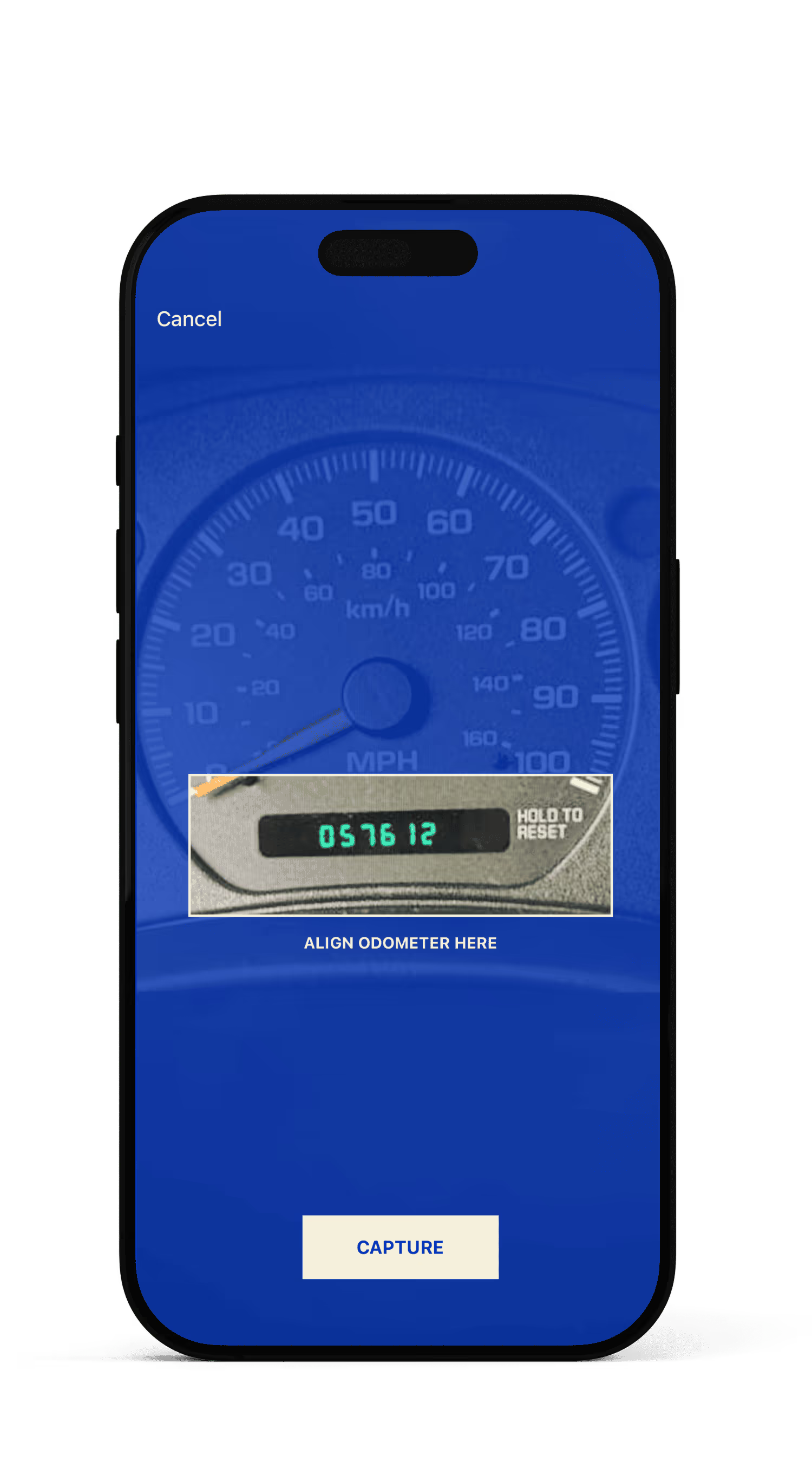
It knows how far you've driven.
Checkpoint learns your driving rate and estimates your current mileage between updates. It uses a weighted moving average — recent trips count more. You can update manually, type it in, or just point your camera at the odometer.
- —Driving rate calculated from your history
- —Predictive mileage estimation (EWMA, 30-day half-life)
- —OCR odometer reading via camera
- —Biweekly mileage prompts via notification
Know where the money went.
Every service has a cost. Checkpoint categorizes them — maintenance, repair, upgrade, inspection — and builds reports automatically. See your monthly spending, yearly totals, and cost-per-mile. Export a professional PDF of your full service history for resale or insurance.
- —Monthly and yearly spending charts
- —Cost-per-mile calculation
- —Category breakdowns (color-coded)
- —PDF export for service history
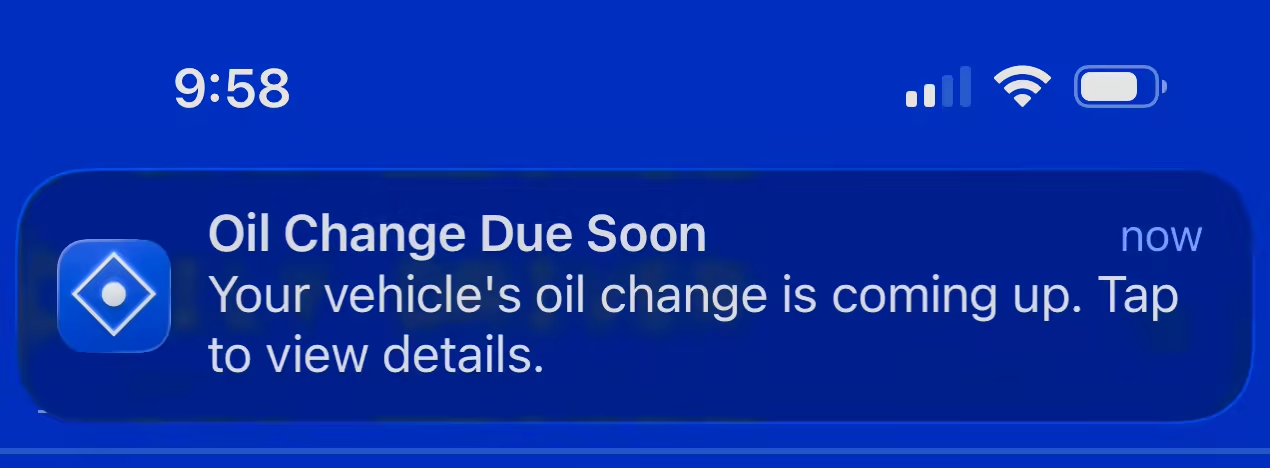
Your car has opinions. You'll hear them.
Notifications speak in the voice of your vehicle — dry, factual, slightly judgmental. They escalate from casual to urgent as deadlines approach. You'll get reminders at 30 days, 7 days, and the day before. Configurable, but the defaults are good.
Everywhere you already look.
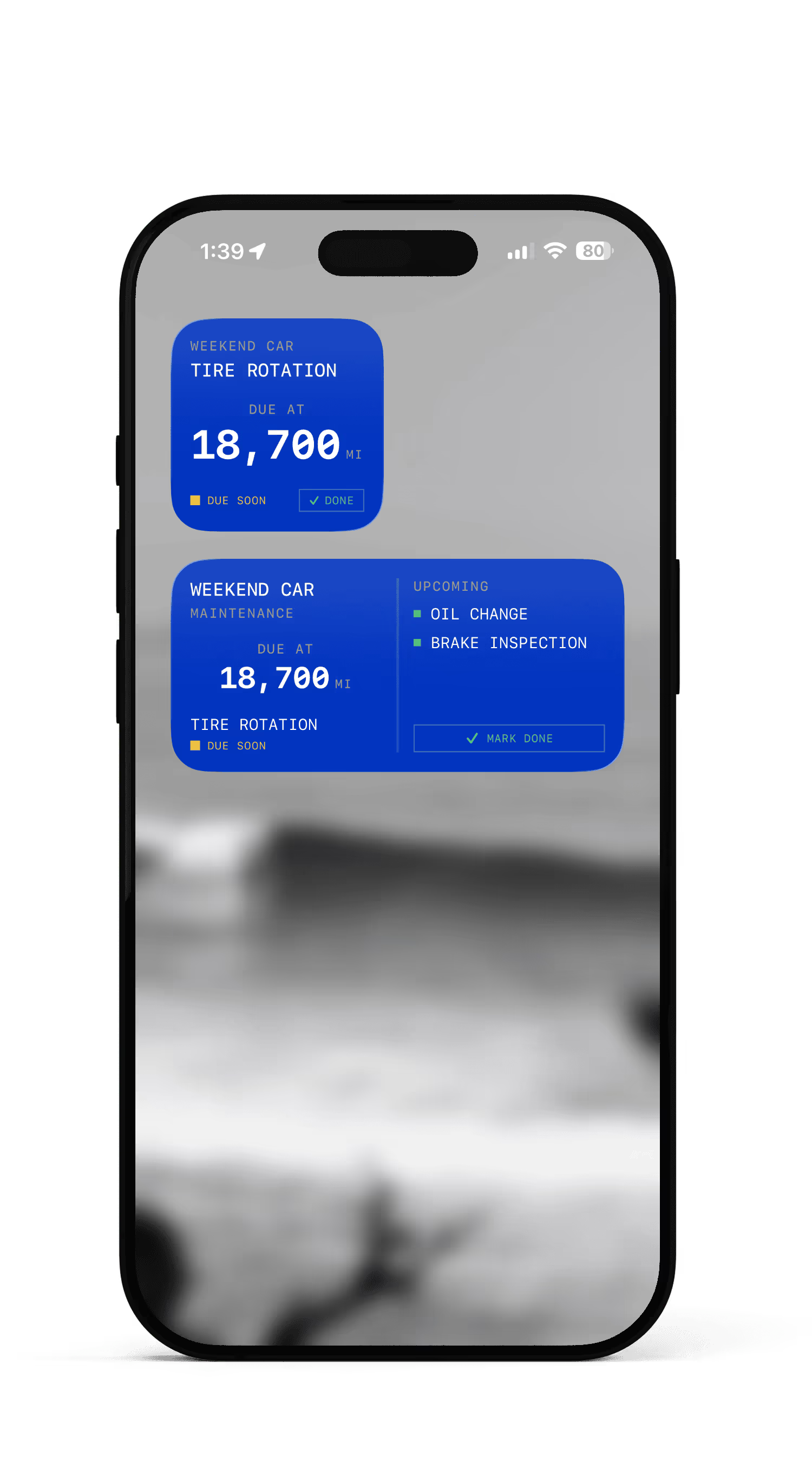
Checkpoint lives on your Home Screen, Lock Screen, Apple Watch, and in Siri. Glance at a widget and know what's due. Ask Siri 'What's due on my car?' and get an answer. Mark a service done from your wrist. No need to open the app.
- —Home Screen widgets (small & medium)
- —Lock Screen widgets (circular, rectangular, inline)
- —Apple Watch app with service list, mileage update, and mark-done
- —Watch complications (4 families)
- —Siri Shortcuts — 3 voice commands
- —Interactive widgets — mark services done without opening the app
- —CarPlay Dashboard widget
If there's a recall, you'll know.
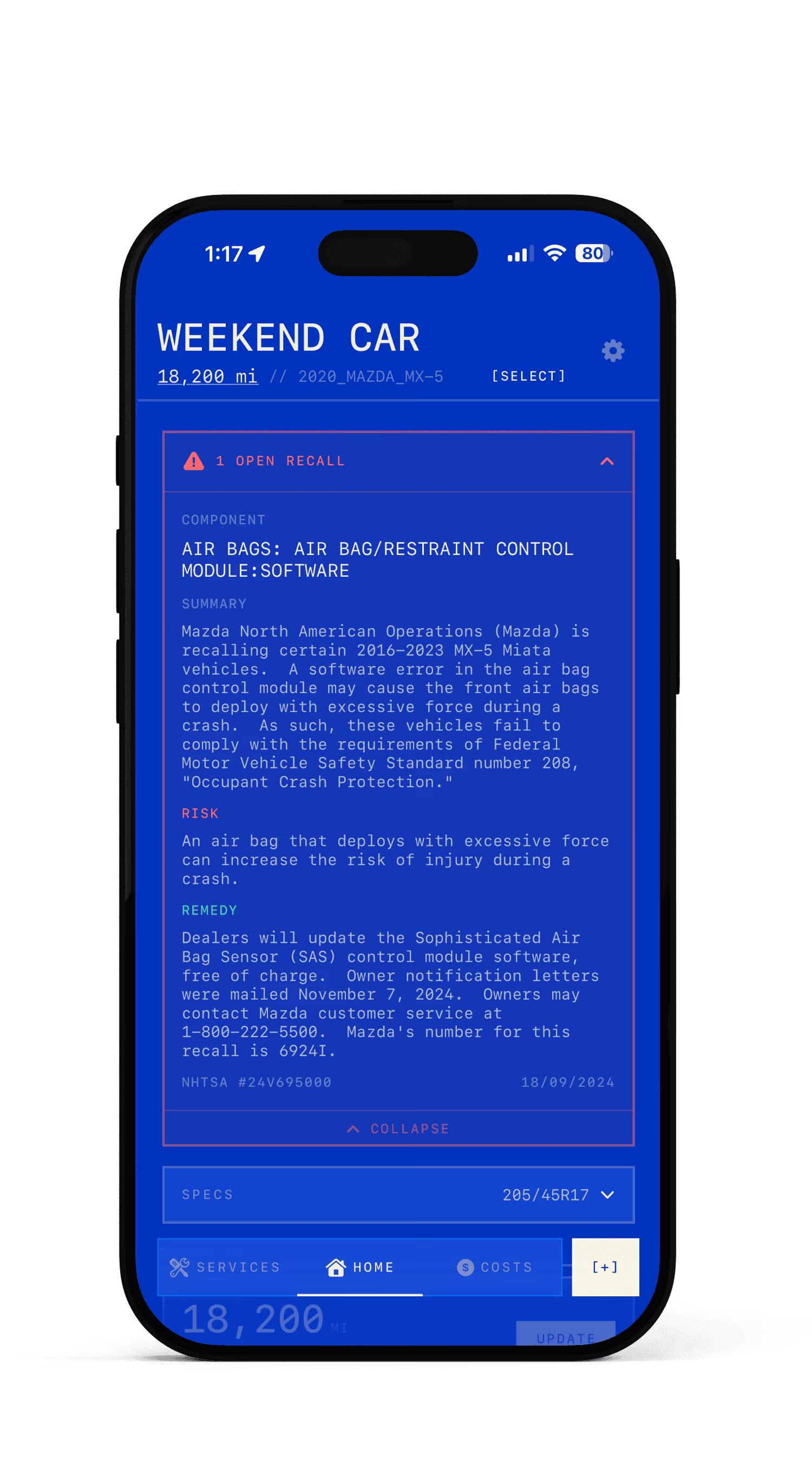
Checkpoint checks NHTSA recall databases for your vehicle. If a safety recall is issued, you get a notification. No searching government websites. No guessing. Your VIN is decoded and checked automatically.
- —NHTSA recall alerts
- —VIN decoding via NHTSA API
- —Safety-critical notifications
Eight ways to see your data.
One theme is free. The rest are earned.
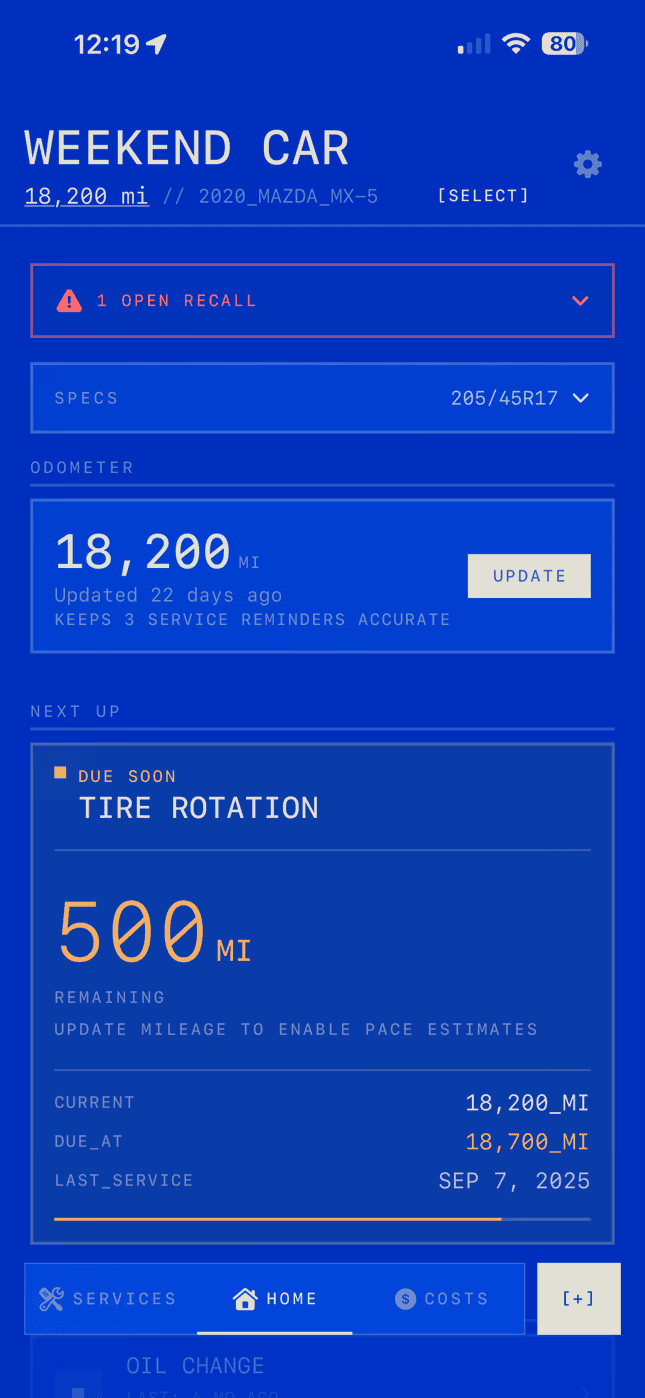
Cerulean blue depths, cream instrumentation
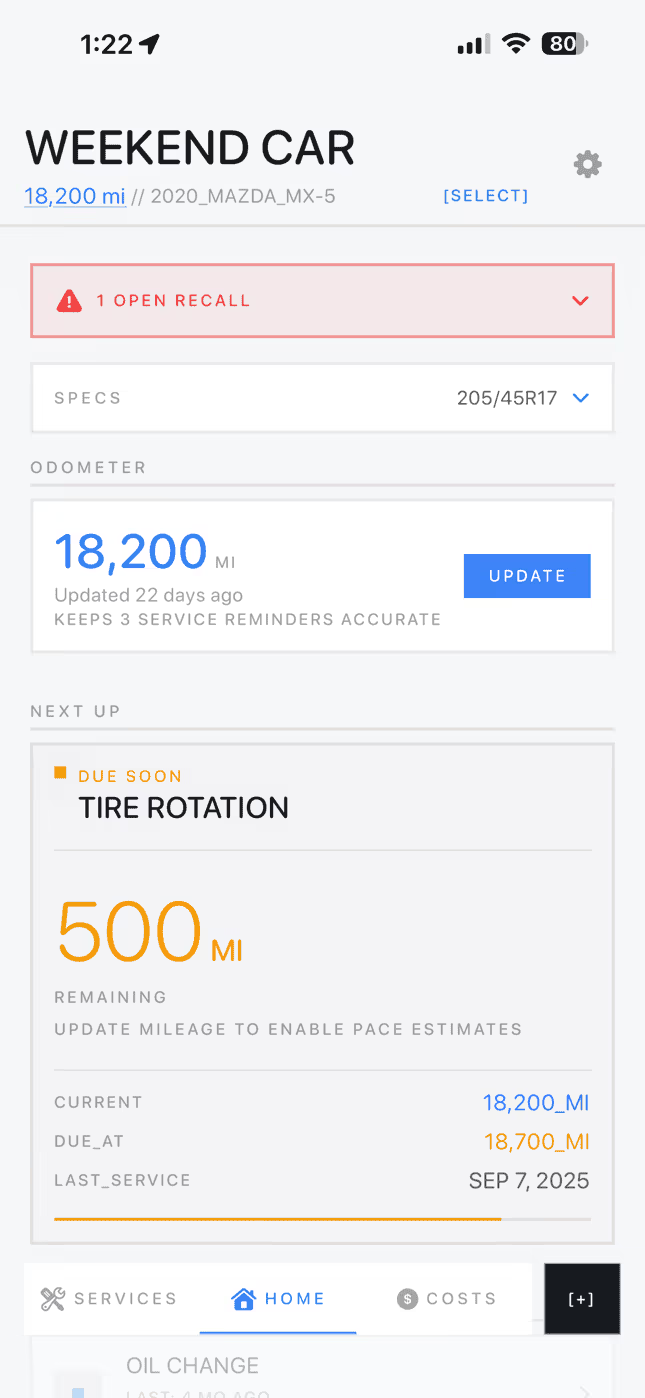
Cool gray light mode, rounded and minimal
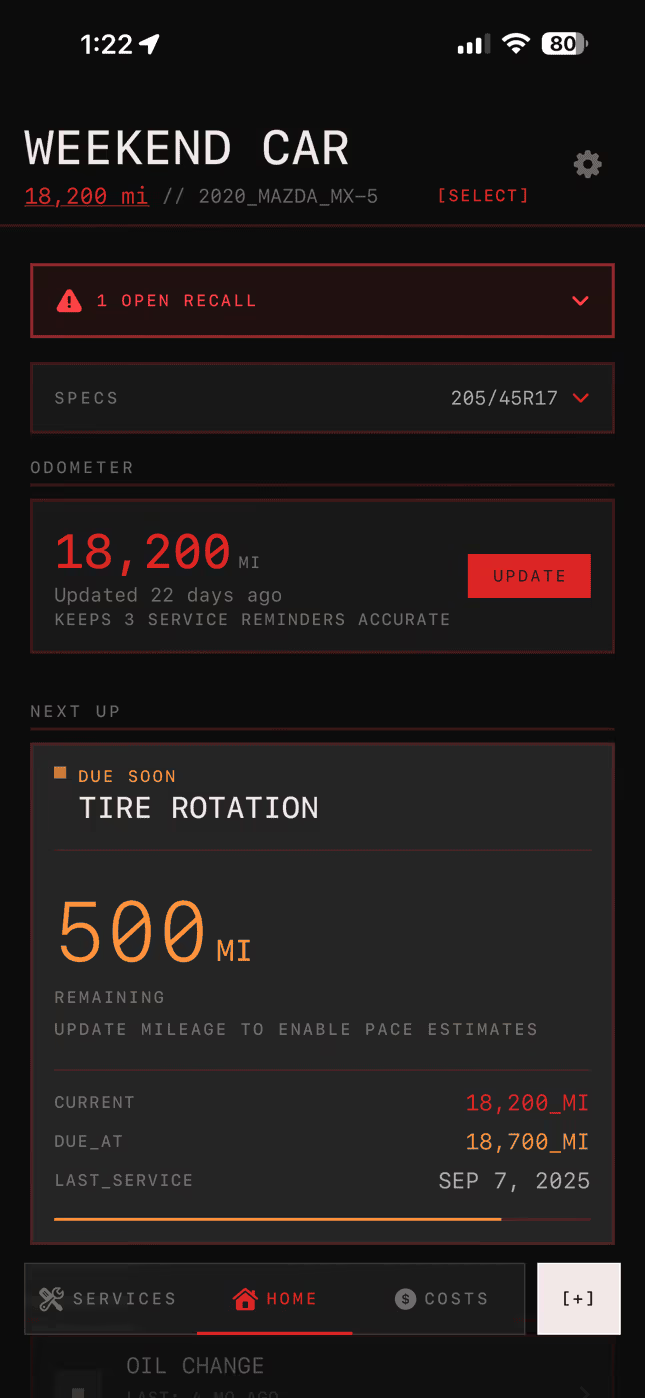
Black and crimson, aggressive
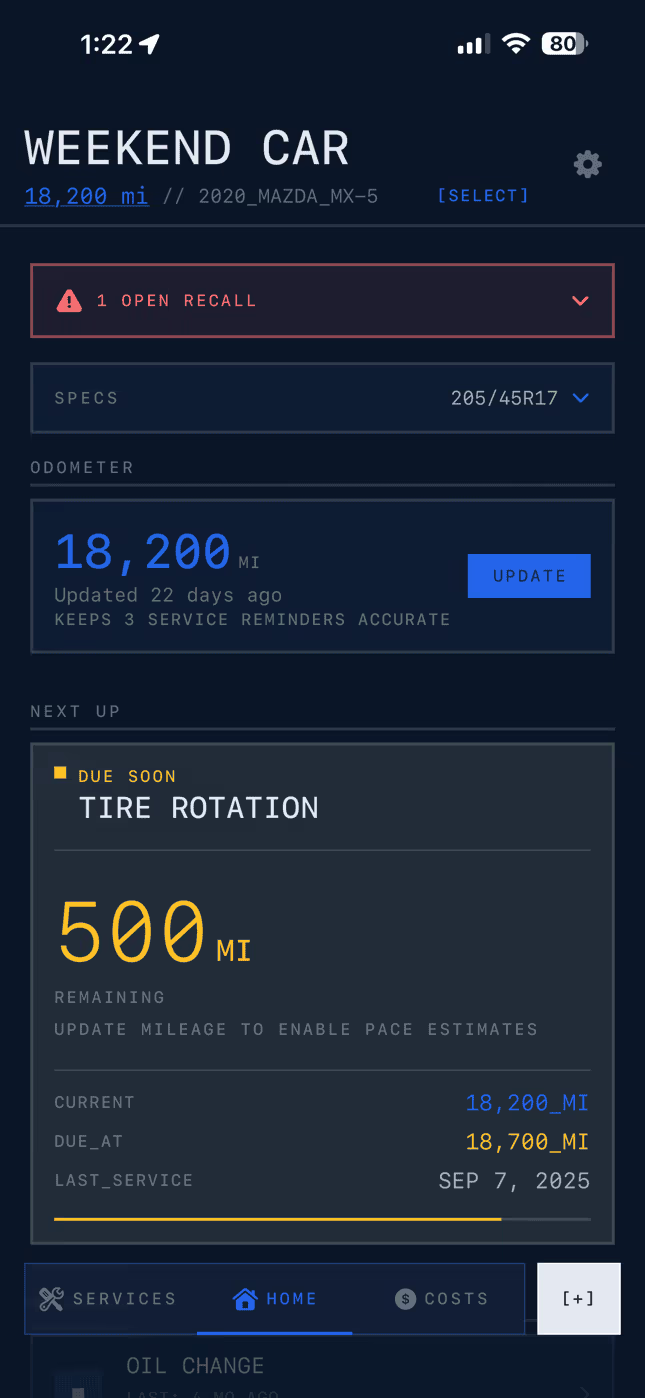
Navy with engineering blue gridlines
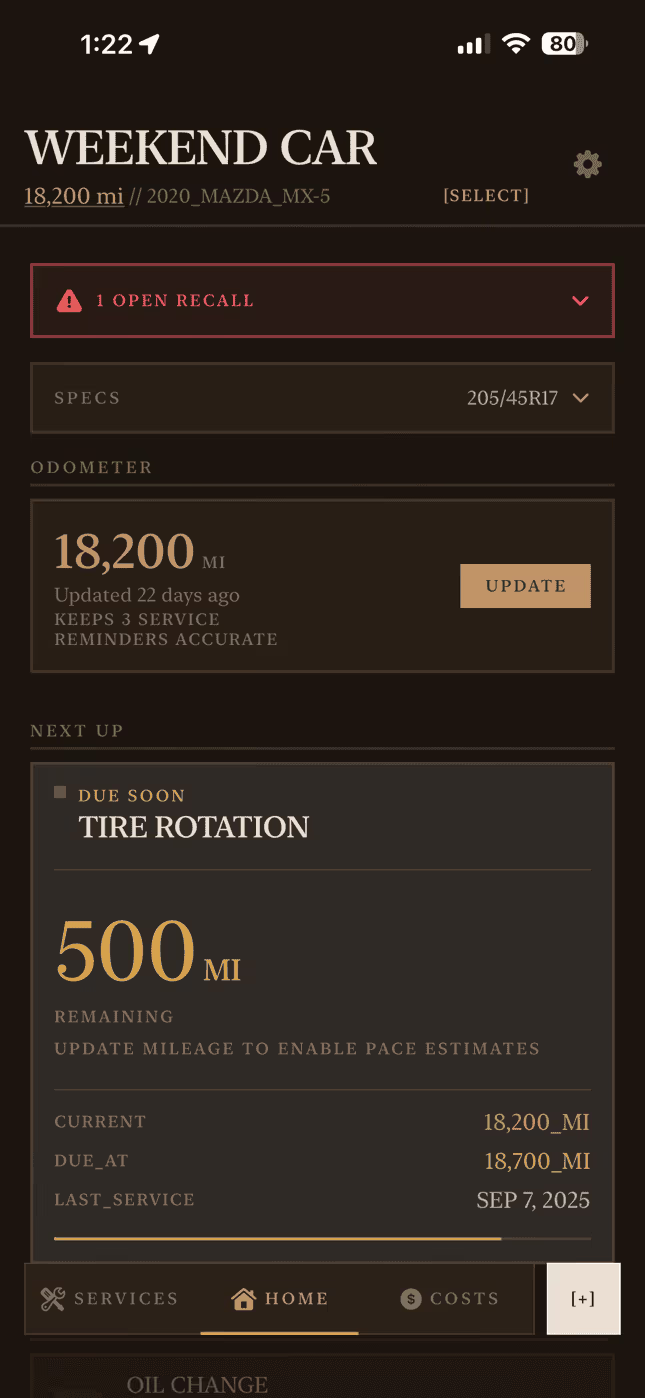
Warm earthy tones, organic
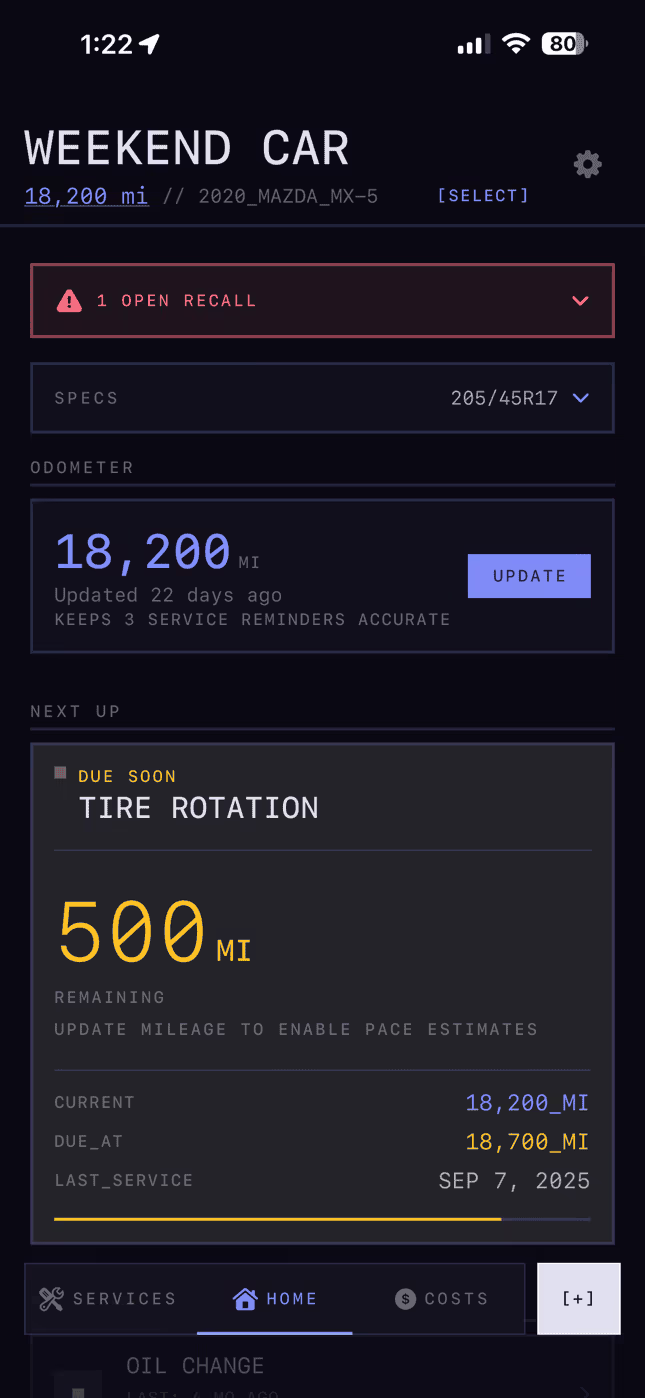
Purple-black with electric blue glow
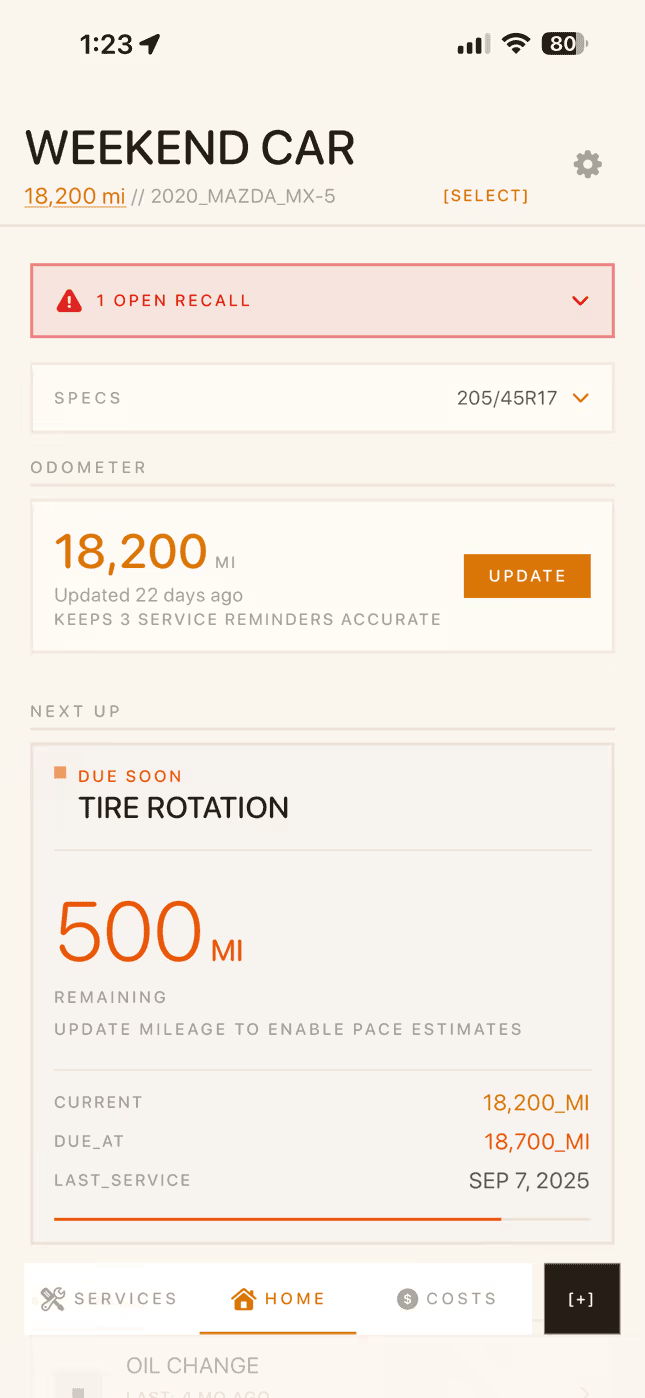
Warm workshop amber, light mode
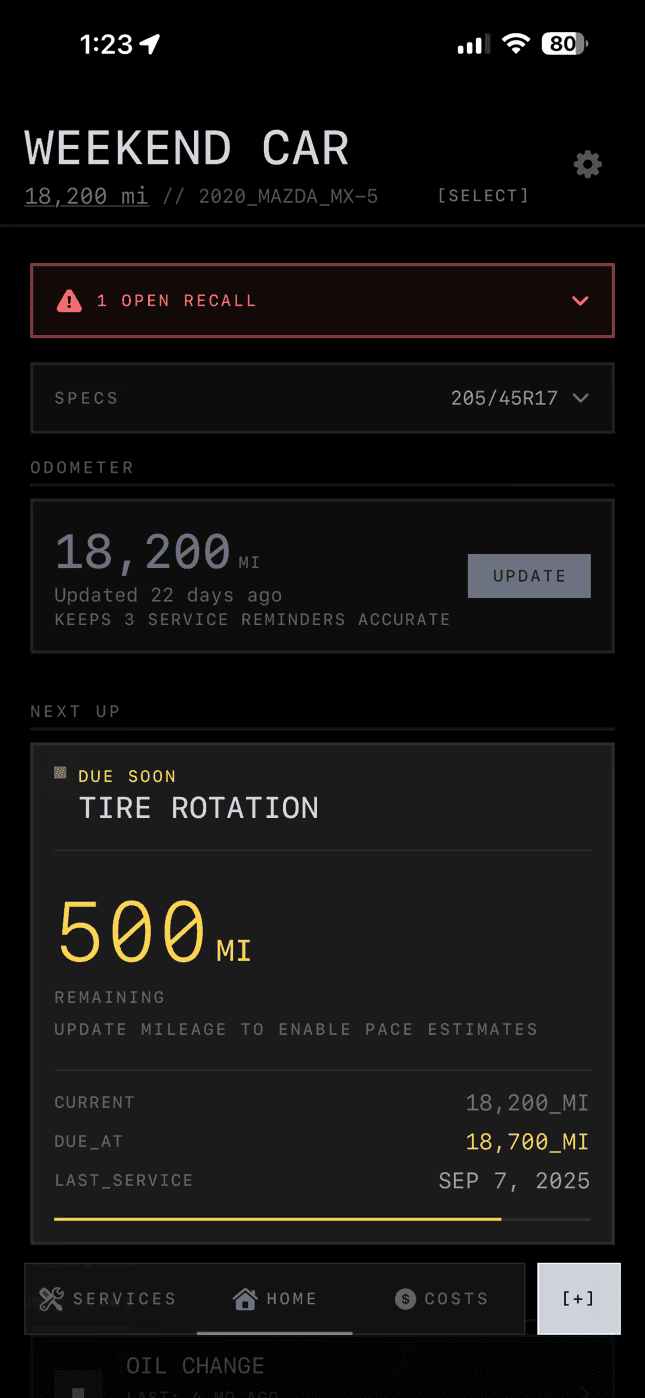
Pure OLED black with gunmetal
Pro themes unlock with a one-time purchase. Rare themes are unlocked randomly through the tip jar — one per tip.
Full-featured. Free forever.
No ads. No tracking. No subscription required.
Everything you need
- Up to 3 vehicles
- Full service logging & scheduling
- Smart mileage estimation
- Cost tracking & reports
- All widgets (Home, Lock Screen, Watch)
- Siri Shortcuts
- NHTSA recall alerts
- iCloud sync
- PDF export
- CSV import (Fuelly, Drivvo, Simply Auto)
- On-device OCR
- Dynamic app icon
- Default theme (Checkpoint)
Launch pricing — goes up when AI OCR ships
- Everything in Free
- Unlimited vehicles (4+)
- 4 Pro themes (Clean Slate, Red Line, Blueprint, Terra)
- Future: AI-powered receipt auto-fill (included free for Pro owners)
Support development. Get something rare.
Each tip unlocks one random rare theme. Three to collect: Midnight Oil, Garage Day, and Stealth. You might get lucky on the first try.
Switching? Bring your data.
Import your service history from other apps in seconds.
Export a CSV from your current app, open it in Checkpoint, done. Your history, costs, and service records transfer automatically.
Your data stays yours.
Local-first. Your data lives on your device and syncs through your iCloud account. We never see it. We never store it. There is no account to create.
No ads. Ever. Checkpoint will never show advertisements. The app is funded by Pro purchases and tips, not by selling your attention.
Privacy-respecting analytics. We use PostHog to understand how features are used — no personal data is collected, and you can opt out entirely in Settings.
No tracking. No third-party SDKs phoning home. No data brokers. Your vehicle information, service history, and spending data never leave your device except through iCloud.
Frequently asked questions.
Yes. Every core feature — service logging, reminders, cost tracking, widgets, Apple Watch, CarPlay, and Siri — is free with no ads. Checkpoint Pro unlocks extra themes and custom icons for a one-time purchase.
No. Checkpoint works entirely on-device with no sign-up required. Your data stays on your phone, synced through iCloud to your other Apple devices.
Yes. Add as many vehicles as you need — cars, trucks, motorcycles, boats, whatever has a maintenance schedule. Each gets its own dashboard, history, and reminders.
Checkpoint learns from your driving patterns and service history. It sends notifications when maintenance is actually due based on your real mileage and time intervals — not arbitrary guesses.
Yes. Checkpoint supports CSV import from Fuelly, Drivvo, and Simply Auto. Export from your old app, drop the file into Checkpoint, and everything transfers in seconds.
iPhone (iOS 17.0+), Apple Watch, CarPlay, and Home Screen widgets. Your data syncs across all devices via iCloud automatically.
Completely. All data is stored locally on your device and synced via iCloud. There are no accounts, no servers collecting your information, no ads, and no third-party tracking.
Your data syncs through iCloud. Sign into the same Apple ID on your new device and everything is already there.
Maintenance is inevitableForgetting about it doesn't have to be
Free on the App Store. No account required.